
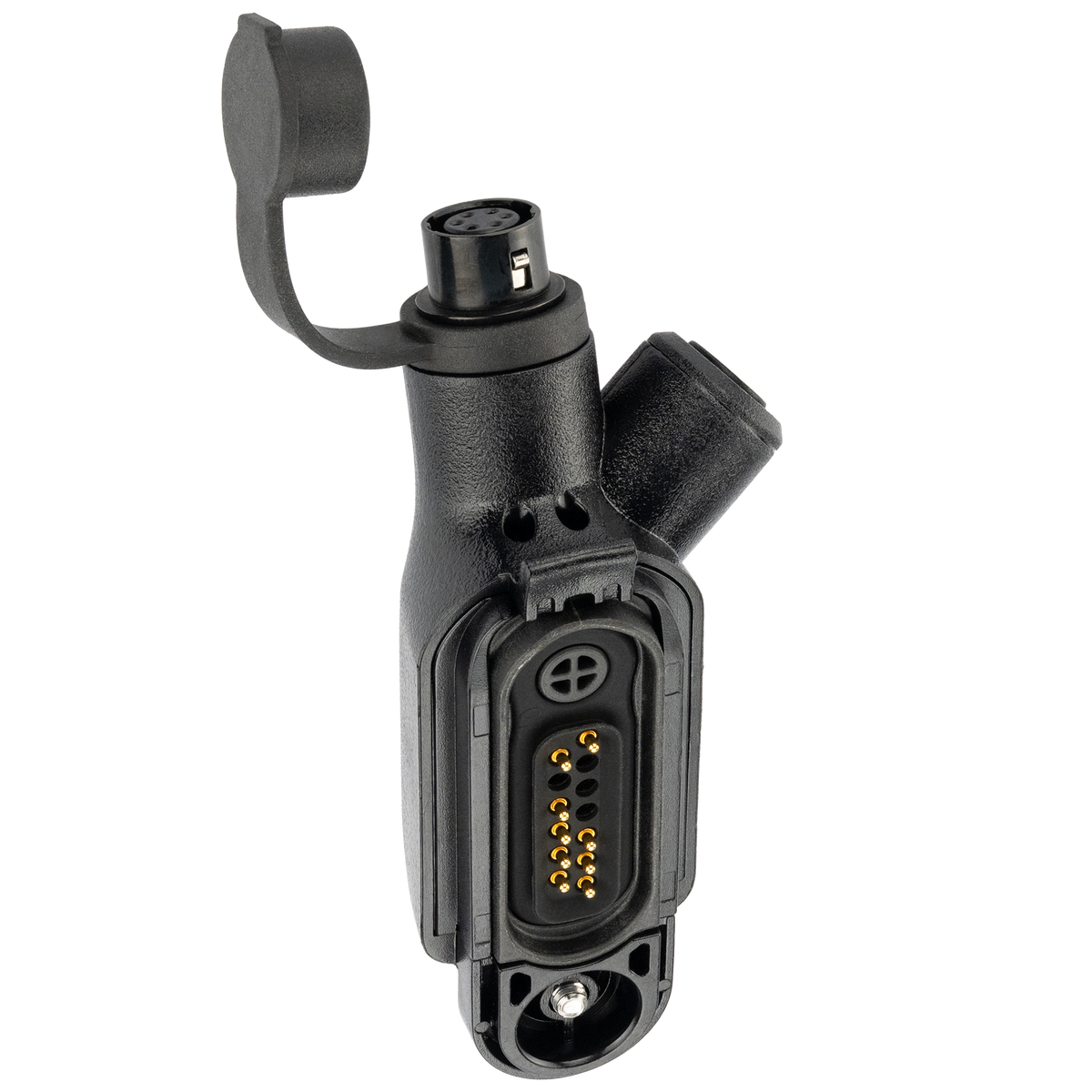
6-Pin Hirose Bluetooth Adapter w/ PTT for Motorola R7 / MXP600 / ION Series

6-Pin Hirose Bluetooth Adapter w/ PTT for Motorola R7 / MXP600 / ION Series

    Upgrade your Motorola R7 with a more flexible communication setup. The ArrowMax Bluetooth Adapter and Wireless PTT Kit lets you connect compatible Bluetooth headsets, earbuds, and Apple AirPods, while also supporting professional 6-Pin Hirose wired accessories. The included Wireless PTT Button gives you remote Push-to-Talk control, so you can transmit without reaching for the radio. Whether you prefer the freedom of wireless audio or the reliability of a wired headset, this system gives you both options in one compact platform.
     
Sale price$199.00 USD
SKU: ADMR7PTT-RCTL-HR6F
Package Options:

Package Options

Quantity:

  • Wired + Wireless Audio Flexibility – Use compatible Bluetooth headsets, earbuds, or Apple AirPods, plus professional 6-Pin Hirose wired headsets and earpieces.
  • Wireless Push-to-Talk for Motorola R7 – Remote PTT control with full TX / RX audio and radio tones through the connected audio device.
  • Dedicated Bluetooth ON/OFF Control – Quickly enable or disable the Bluetooth adapter when wireless operation is or isn’t needed.

YOUR FAVORITE EARBUDS. NOW ON YOUR RADIO

Connect compatible Bluetooth headsets and earbuds, including Apple AirPods, to your radio for comfortable wireless TX and RX audio.

WIRED OR WIRELESS. YOU CHOOSE

Use Bluetooth audio or connect professional 6-Pin Hirose headsets and earpieces through the same adapter for a flexible communication setup.

PTT WITHOUT REACHING FOR YOUR RADIO

The compact Wireless PTT Button lets you transmit remotely, keeping your radio secured while Push-to-Talk stays within easy reach.

WIRELESS WHEN YOU NEED IT. OFF WHEN YOU DON’T

A dedicated ON/OFF switch gives you direct control of the Bluetooth adapter, allowing you to quickly disable the wireless system and return communication control to the radio.

Compatibility & Firmware Requirements

Compatible Radio Models: Motorola MOTOTRBO R7, MXP600, ION Series, APX N70, APX N50, APX N30, and M20.

R7

MOTOTRBO R7 
Firmware M2022.02 or later is required for Package 2.1 and Package 3.

ION

MOTOTRBO ION
Firmware M-ION.2022.03 or later is required for Package 1, Package 2.1, and Package 3.

MXP600

Motorola MXP600 
Fully compatible with firmware MR2021.1 or later.

APX N70

Motorola APX N70 
Fully compatible with firmware R05.00.00 or later.

APX N50 / N30

Motorola APX N50 / N30 
Fully compatible with firmware R35.00.00 or later.

M20

Motorola M20 
No minimum firmware requirement has been specified.



Setup & Operation

Bluetooth ON/OFF Control

The adapter includes a dedicated ON/OFF switch for direct control of the Bluetooth adapter function.ON: Enables the Bluetooth adapter for wireless audio and Wireless PTT operation.OFF: Disables the Bluetooth adapter function and returns normal communication control to the radio.This gives users a simple way to disable the wireless adapter whenever Bluetooth communication is not required.

Wireless Operation

Motorola R7 → Bluetooth Adapter → Bluetooth Headset / Earbuds + Wireless PTT ButtonUsers can hear radio traffic through the connected Bluetooth audio device and transmit using the Wireless PTT.

6-Pin Hirose Connection

The adapter also provides a 6-Pin Hirose port for compatible ArrowMax wired headsets and earpieces.This gives users the flexibility to work with both professional wired accessories and Bluetooth audio from the same adapter platform.

Wireless PTT

The compact Wireless PTT allows users to activate Push-to-Talk remotely without reaching for the radio.

  • Easy pairing and Compact wearable design
  • Replaceable CR2032 battery No charging cable required for the PTT button

Tech Notes

  • Microphone Operation: This kit uses the microphone built into the connected Bluetooth headset or earbuds. There is no microphone in the Wireless PTT button. Suitable for compatible devices such as Shokz, Apple AirPods, and other Bluetooth headsets.
  • Antenna Recommendation: Stubby antennas may cause Bluetooth interference. Standard-length antennas are recommended for best performance.
  • Bluetooth Device Battery Life: Battery life depends on the Bluetooth headset or earbuds being used and will vary based on usage.
  • Single-Radio Communication: The system is designed for communication through one connected radio.
  • Phone + Radio Pairing: We do not recommend pairing the same Bluetooth earbuds to both the radio adapter and a phone at the same time, as connection switching or phone activity may cause missed radio traffic.